
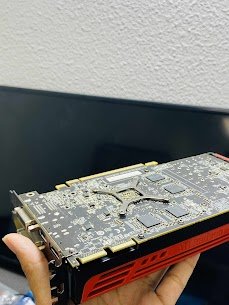
Custom PC
Model- Asus Ramage
Common Issue: The GPU is not detected by BIOS and OS.
Reasons for the issue:
1) Graphics Card not connected to the power cable or properly fitted in the PCIe slot.
2) Presence of a faulty or weak power supply unit unable to provide the required voltage.
3) Unable to initialize the GPU.
4) A damaged PCIe slot or motherboard
5) Driver Conflict or GPU Locked at OS Level.
Not recognizing a GPU is a problem that cannot be fixed only by re-plugging the device – the root causes of the problems may be power delivery, BIOS settings, or even the physical damage of the PCIe interface. Here at Mac Tech Service, we are not content with the basic troubleshooting steps only. We go further and do power rail tests, slot condition inspections, and even confirm GPU detection at the firmware level. No matter if it is a high-end RTX card or an old AMD unit, we certainly will make your system recognize your GPU again.
Mac Tech Service
Services we provide:
1) PCIe slot inspection and re-seating
2) PSU voltage and rails testing
3) BIOS update and repair of configuration
4) Driver removal and GPU re-initialization
5) Post-fix benchmark and heat check.
Custom PC Repair, GPU, DFW, Tech Experts, Mac Tech Service, Graphics Card Fix