
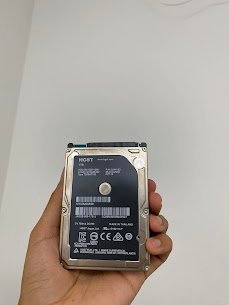
Model No: MMT2020
Release Year: 2018
Common Issue- The performance is very slow, and the boot time is very long, and there is a lag during normal use of the computer.
Causes of this issue:
- High amount of data.
- Fragmented storage sectors.
- Bad Disk health.
- Delays in read/write operations in OS.
- Outdated Drive interface.
At Mac Tech Service, the best way to bring back your Mac Mini in great shape is to switch it to an SSD with us. We take care of all files and set transfers from your old drive to the new one, and we do an OS tune-up for peak speeds. You get to keep your data, but with the performance of a brand-new system.
Professional Services:
- The installation of the SSD
- Data transfer with security
- The checking of disk health
- MacOS performance enhancement
- Testing for speed and stability
Mac Mini SSD upgrade, Apple data transfer, HDD to SSD conversion, storage optimization, Mac Tech Service