
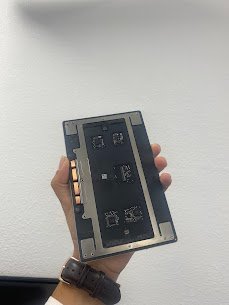
MacBook Pro 13
Release year: 2016
Model: A1706
Common issue: Trackpad not clicking working with ghost movements and random clicking
Reasons for this issue:
- Swollen battery pushing trackpad up
- Torn or loose trackpad flex cable
- Failed Taptic Engine (haptic feedback)
- Liquid damage under trackpad
- Broken mounting brackets
Is your Trackpad is the not working properly, move on its own? You can visit Mac Tech Service to get it fixed? Trackpad feels mushy, won’t click, or moves on its own? We replace the entire trackpad assembly with a brand-new unit, fix any swollen battery underneath, and recalibrate force Touch perfectly.
Mac Tech Service Our Services:
- Safe Trackpad removal
- New genuine-grade trackpad installs
- Flex cable micro soldering if needed
- Force Touch and gesture recalibration
- Full click and drag testing
MacBook trackpad replacement, Dallas, trackpad not clicking fix, Fort Worth, Watauga