
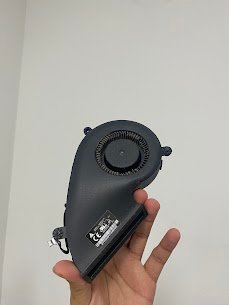
iMac 27inch; 5K
Release year: 2014
Model: A1419 (EMC 2806)
Common Issue: Overheating with fans running at full speed, shutting down randomly with extremely hot top bezel
Reasons for this issue:
1) 9 year old dried thermal paste on CPU/GPU
2) Heat sinks and fans clogged with dust
3) Thermal sensors that need to be replaced
4) VRAM covered with degraded thermal pads
5) SMC fan curve malfunction
If your 2014 iMac A1419 is overheating and shutting down randomly, Mac Tech Service will re-paste the CPU/GPU with a high quality thermal compound, as well as, replace the pads after completely disassembling, cleaning and purging the iMac heat sinks. We help the device operate in silence with a cooler temperature.
Our Services:
1) Full display removal & deep cleaning
2) CPU/GPU re-paste + new pads
3) Fan assembly service
4) SMC & sensor recalibration
5) 24hour thermal stress test
iMac A1419 overheating fix, Dallas, iMac 27 2015 too hot, Fort Worth, Watauga