
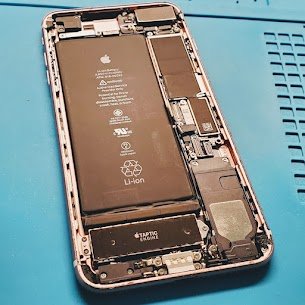
Device: iPhone 11 Pro, Model: A2160 , Release Year: 2019
Common Issue: Stuck on the Apple logo and can’t update.
Symptoms for this issue:
- Failure in iOS update or crash.
- Issue in NAND storage.
- Exposure to water or a physical drop.
- Power issue due to battery or logic board.
- Corruption in software during the sync or restore process.
Mac Tech Service leads in data recovery for both physical and software. Photos or files are lost? We can bring them back like they were never lost. We can handle all the recovery work with professional tools. No shortcuts and just results, even from a damaged device. We can dig deep into your issues and find a solution. Recover, restore, and revive at Mac Tech Service.
Mac Tech Service
Our Service:
1) Data extraction using DFU mode without any data loss.
2) NAND-level data recovery using chip-off techniques.
3) Voltage tracing and microsoldering in the logic board.
4) Safe OS installation and iOS crash log analysis.
5) File restoration.
iPhone data recovery, iPhone stuck Apple logo, Recover iPhone files. Chip-off recovery iPhone, Lost photos iPhone