Macbook Repair

macbook pro

Thermal‍‌‍‍‌‍‌‍‍‌ Paste Reapplication 

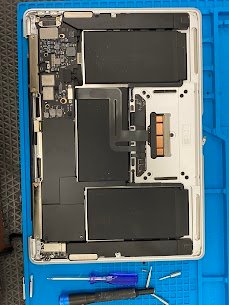
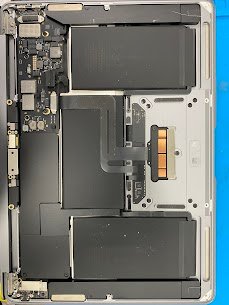
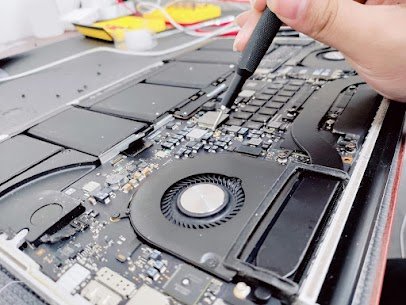
Device: MacBook AirYear: 2020 Common Issue: Overheating of the device, noisy operation of the fan, thermal throttling, device shut down automatically. Possible reasons for this problem: 1) Old or expired thermal paste2) Incorrect contact of the heat sink3) Dust accumulates in the vents and fans4) Fan malfunction or decreased RPM5) GPU/CPU overheating We disassemble your […]

Thermal‍‌‍‍‌‍‌‍‍‌ Paste Reapplication  Read More »

2025 11 24 (3)

MacBook​‍​‌‍​‍‌​‍​‌‍​‍‌ Air

Release Year: 2017Model: A1466 Common issue: Keys sticky, Repeating, double-typing or completely dead. Reasons for the problem: Here at Mac Tech Service, we repair all kinds of problems. From motherboard issue to the small keys problem. We give importance to all our customers no matter how small the problem is. From replacing keys to full

MacBook​‍​‌‍​‍‌​‍​‌‍​‍‌ Air Read More »

2025 11 24 (1)

MacBook Air 13

Release year: 2017Model: A1466Common issue: Liquid damage after spill Random shutdowns, no display, charging issues, or completely dead. Reasons for this issue: From exposure to moisture to whole coffee spill we repair all. We also fix the problems that apple calls unfixable. We provide services like ultrasonic cleaning, micro-soldering to revive MacBook with all previous

MacBook Air 13 Read More »

2025 10 14 (3)

MacBook Heating Problem

Device Name: MacBook Pro 15 inchUS Model Number: A1707, Production Year: 2017 Typical Issue:MacBook gets hot quickly, performance is slow during normal use, and fan is noisy. Reasons for ThisIssue: –1) Thermal paste has broken down over time2) Dust blocking cooling vents, and fans, buildup3) Background applications monopolizing CPU4)Heat sensors, or the fan module is

MacBook Heating Problem Read More »

2025 10 16

MacBook Backlight Repair

MacBook Keyboard Backlight Damaged Device: MacBook Pro, Model: A2141, Release Year: 2019 Typical Problem: Keys failing to light up even when the display is on. Reasons for This Problem:1) Faulty keyboard backlight circuit on logic board.2) Faulty keyboard flex cable or connector.3) System Software glitch4) SMC firmware corrupted to prevent backlight from turning on.5) Sensor

MacBook Backlight Repair Read More »

macbook flex cable

Macbook battery not charging fix

MacBook​‍​‌‍​‍‌​‍​‌‍​‍‌ not charging? Battery icon with “X”? Flex cable issue for 2016–2019 models. Device: MacBook ProRelease Year: 2019Model No: A1706 Common Issue: No charge, battery not recognized, % frozen. Reasons for the Issue: 1) Cable tear close to hinge2) Liquid corrosion3) Broken or bent pin4) ISL chip failure5) SMC no communication At Mac Tech Service,

Macbook battery not charging fix Read More »

2025 10 21

MacBook Speaker Repair

Device Name: MacBook Pro 13″ (2019, 2 Thunderbolt 3)US Model Number: A2159Release Year: 2019 Common Issue:Sound coming from the speakers is crackling, distorted Reasons for This Issue:1) The speaker membrane torn because of excessive volume2) Audio IC malfunction on the logic board3) Liquid damage causing corrosion near audio lines4) Faulty or burnt audio amplifier chip5)

MacBook Speaker Repair Read More »

2025 10 24 (1)

MacBook Wi-Fi Repair

MacBook‍‌‍‍‌‍‌‍‍‌‍‌‍‍‌‍‌‍‍‌ Air 13.3-inch Retina Device: MacBook AirRelease Year: 2020Common Issue: Wi-Fi option not visible in the menu bar Reasons for the issue:1) Wi-Fi card interfaced malfunctioning2) Logic board trace near Wi-Fi chip damaged3) Antenna connection corrosion or discharge from signals4) MacOS configured incorrectly5) I/O circuit oxidation Mac Tech Service installs compatible USB Wi-Fi adapter, for

MacBook Wi-Fi Repair Read More »