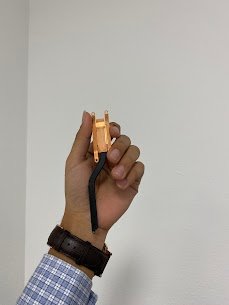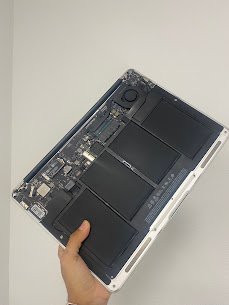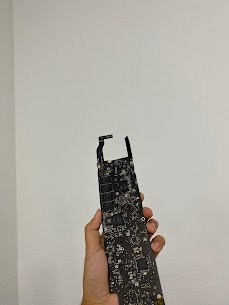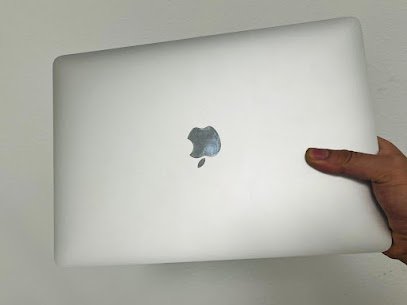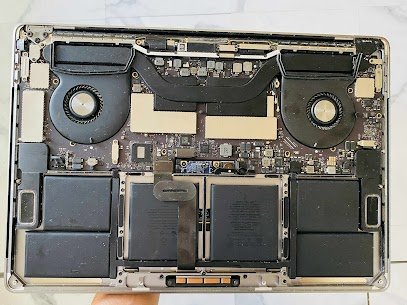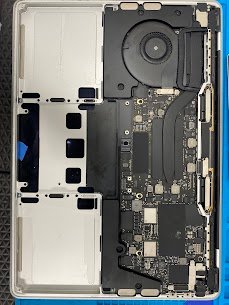
MacBook Pro 13″ (Touch Bar)Release year: 2016Model: A1706Common issue: Battery is swollen with trackpad popping up, and has only 20-30 min runtime with warning “Service Battery” Reasons for this issue: Your 2016-2017 MacBook Pro A1706 battery is swollen or dies in minutes, we replace it with a brand-new high-capacity battery, recalibrate the system, and fix […]
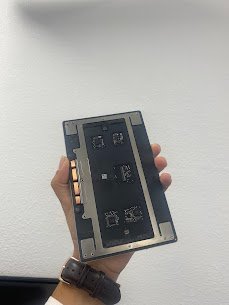
Macbook Repair
MacBook Trackpad repair
MacBook Pro 13Release year: 2016Model: A1706 Common issue: Trackpad not clicking working with ghost movements and random clicking Reasons for this issue: Is your Trackpad is the not working properly, move on its own? You can visit Mac Tech Service to get it fixed? Trackpad feels mushy, won’t click, or moves on its own? We
MacBook Trackpad repair Read More »
MacBook Overheating?
Is your MacBook getting louder fan noise and getting hot? A customer recently brought in his MacBook Pro (A1466) because it was making loud noise overheating. The fans were constantly loud, and performance dropped badly. He thought it might be “just old,” but the laptop started getting hotter and hotter and shut down itself one
MacBook Overheating? Read More »
MacBook A1466 Repair
MacBook A1466MacBook Air A1466 2017 Not Booting? This is a common problem that people face with their MacBook Air A1466. The MacBook getspower, turns on the fans but there is just a black screen with a flashing folder with a questionmark sign. If you are reading this post, you are in the right place to
MacBook A1466 Repair Read More »
Thermal Paste Reapplication
Device: MacBook AirYear: 2020 Common Issue: Overheating of the device, noisy operation of the fan, thermal throttling, device shut down automatically. Possible reasons for this problem: 1) Old or expired thermal paste2) Incorrect contact of the heat sink3) Dust accumulates in the vents and fans4) Fan malfunction or decreased RPM5) GPU/CPU overheating We disassemble your
Thermal Paste Reapplication Read More »
MacBook Air
Release Year: 2017Model: A1466 Common issue: Keys sticky, Repeating, double-typing or completely dead. Reasons for the problem: Here at Mac Tech Service, we repair all kinds of problems. From motherboard issue to the small keys problem. We give importance to all our customers no matter how small the problem is. From replacing keys to full
MacBook Air Read More »
MacBook Air 13
Release year: 2017Model: A1466Common issue: Liquid damage after spill Random shutdowns, no display, charging issues, or completely dead. Reasons for this issue: From exposure to moisture to whole coffee spill we repair all. We also fix the problems that apple calls unfixable. We provide services like ultrasonic cleaning, micro-soldering to revive MacBook with all previous
MacBook Pro 13″ Retina (A1502) SSD Data Recovery
Model No: A1502Release Year: 2015Common Issue: MacBook is displaying a question mark when booting. Common Problems: At Mac Tech Service, we are experts in the SSD data recovery of the 2017 MacBook Pro model. Even from a soldered or encrypted drive, our cleanroom lab and in-house tools enable us to extract your data safely. We
MacBook Pro 13″ Retina (A1502) SSD Data Recovery Read More »
MacBook Overheating Issue
MacBook Air (Retina,13-inch, Late 2018) , Model: A1708 Common issue we faced:The device was constantly lagging. CPU was overheating, and the device would freeze in between tasks. There was plenty of storage left on the device Reasons for the issue1) Overheating of CPU2) Software incompatibility3) Overheating of the CPU4) Heavy load on the CPU Mac
MacBook Overheating Issue Read More »
MacBook Heating Problem
Device Name: MacBook Pro 15 inchUS Model Number: A1707, Production Year: 2017 Typical Issue:MacBook gets hot quickly, performance is slow during normal use, and fan is noisy. Reasons for ThisIssue: –1) Thermal paste has broken down over time2) Dust blocking cooling vents, and fans, buildup3) Background applications monopolizing CPU4)Heat sensors, or the fan module is
MacBook Heating Problem Read More »