
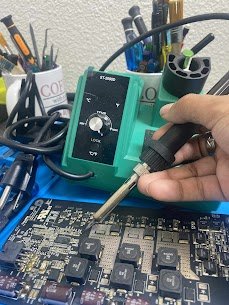
Device Name: iMac 27″ (Retina 5K, 2017)
Model Number: A1419
Release Year: 2017
Common Issue:
The backlight is dim or flickering, and there is no display even though the device is powered and makes sounds.
Reasons for This Issue:
1) Backlight circuit failure on the logic board
2) Backlight fuse burned or a capacitor shorted
3) Defective LVDS display connector
4) The power supply delivering low voltage
5) LED driver IC not working properly
iMac display problems most of the time are iMac logic board-level damage. At Mac Tech Service, we fix such troubles by precise soldering and OEM components replacement, so the display and backlight work as before.
Professional Services We Provide:
1) Backlight fuse and component-level repair
2) Burned LED driver IC replacement
3) LVDS connector reflow or replacement
4) Voltage output testing and PSU repair
5) Cleaning the GPU and checking the display
iMac backlight issue, no display, logic board repair, Mac Tech Service, Fort Worth, Dallas, Apple desktop fix, Watauga