
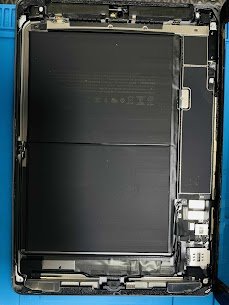
Device Name: iPad (6th Gen) Wi-Fi + Cellular
Model Number: A1954
Release Year: 2018
Common Issue:
There is no cellular signal, SIM is not detected, or the device is always in the “Searching…” status.
Reasons for This Issue:
1) Bad SIM card reader or SIM tray
2) Logic board baseband IC is damaged
3) Water or moisture near the cellular antenna
4) Drop of the device causing cracked solder joints
5) Carrier settings are old or corrupted
Mac Tech Service solves all problems related to the cellular module of iPads with accurate diagnostics and repair options. Regardless of whether the issue is hardware related or a baseband problem, we are the ones who can get your iPad back online.
Professional Services We Provide:
1) Repair of the SIM card reader and micro-soldering
2) Repair of the signal path for the cellular antenna
3) Replacement of the Baseband IC (logic board level)
4) Removal of moisture and antenna replacement
5) Carrier profile and software upgrade
iPad cellular issue, SIM not detected, Mac Tech Service, Watauga, iPad repair, Fort Worth, Dallas, Apple technician