
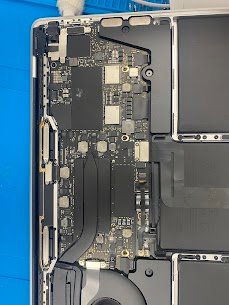
MacBook Pro 14;
Release year: 2021
Model: A2442
Common issue: Overheating, fans always loud, thermal throttling during work or rendering
Reasons for this issue:
- Factory thermal paste dried out
- Dust in heatsink fins
- Degraded thermal pads on VRAM
- Liquid metal migrated (M1 Pro/Max)
- Clogged fan blades
Your M1 Pro/Max 14; MacBook Pro runs hot and loud, we fully disassemble, clean the cooling
system, and apply fresh high-performance thermal paste (or new liquid metal on M1 models).
Temperatures drop 20-30°C and it stays whisper quiet under load.
Mac Tech Service
Our Services:
1) Complete teardown & dust removal
2) Liquid metal or PTM7950 re-paste
3) New thermal pads on VRAM/SoC
4) Fan cleaning & lubrication
5) 2-hour stress + temp monitoring
MacBook Pro M1 thermal paste replacement, Dallas, A2442 overheating fix, Fort Worth,
Watauga