
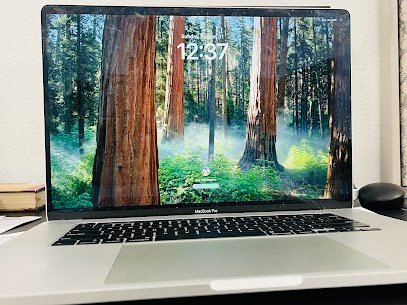
Macbook Pro 16-inch, Model: A2141, Release year: 2019
Common issue: Flickering of screen that causes eye strain and disturb normal use of the device.
Reasons for this issue:
- Display connector cable is faulty.
- Glitch in macOS update or incompatibility.
- GPU is overheating.
- Internal connectors is loose due to wear and tear.
- Display panel is defective or aging.
We can solve toughest Macbook issues with precision and care. Our certified technician bring years of experience handling hardware and software of apple. Our turnaround time is quick and we never compromise on quality. From simple fixes to very complex motherboard level troubles , we can fix them all.
Mac Tech Service
Our Service:
1) Advance diagnostic of display with apple grade testing tools.
2) Precision repair/replacement of connectors cable of display.
3) Reflow/ Reballing of GPU for overheating issues.
4) Replacement of full display panel with original grade parts.
5) Microsoldering to fix loose or damaged internal connectors.
MacBook Pro repair , Screen flicker fix , Apple device service , Mac display repair , Mac Tech Service