
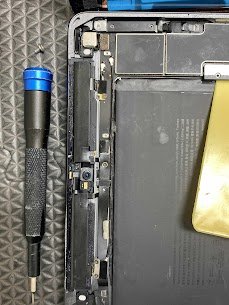
Device Name: iPad Air 3
Model Number: A2123 (Cellular)
Release Year: 2019
Common Issue:
Touch ID not working, Home button not working, or Touch ID failed after screen replacement.
Reasons for This Issue:
1) Flex cable for Touch ID was torn or pinched when changing the screen
2) Wrong aftermarket home button used
3) Damage to the logic board connector
4) Failure of the fingerprint sensor IC
5) Software error which blocks fingerprint registration
We perform the repair of the iPad with great care and attention, as they are delicate devices. We restore the functionality of the fingerprint sensor without damaging it further. Mac Tech Service is the one to whom you should give the trust if you want your Touch ID system repaired or restored safely.
Professional Services We Provide:
1) Micro-repair of the flex cable
2) Reinstallation of the original Home button (if it is possible to reuse)
3) Secured IC rebonding on the logic board
4) Apple tools used for the Touch ID calibration
5) iOS diagnostics and biometric system reset
iPad Touch ID issue, flex cable repair, home button not working, Mac Tech Service, Fort Worth, Dallas, Watauga, Apple iPad fix